

You sent a Bitcoin transaction over an hour ago. The confirmation count is still zero. You check the mempool and see your fee was too low for the current congestion. The transaction sits there, unconfirmed, while you wonder if your coins are gone forever.
This feeling is frustrating, but there is a way out. You do not need to pay a second fee or wait days for a timeout. A clever mechanism built into Bitcoin’s protocol can help. It is called Child Pays for Parent, or CPFP. This method lets you create a new transaction that pays a high enough fee to incentivize miners to include both your original stuck transaction and the new one together. The best part? You only pay the fee on the new child transaction, and you keep your original fee exactly as it was.
CPFP lets you accelerate a stuck Bitcoin transaction without paying extra fees on the original. You create a child transaction that spends one of the unconfirmed outputs. Miners see the combined fee rate of both transactions and are motivated to include them. This works with any wallet that lets you spend unconfirmed outputs. You control the fee on the child transaction, so you can set it high enough to get confirmed.
What Causes a Bitcoin Transaction to Get Stuck
A transaction gets stuck when the fee you set is too low relative to what other users are paying at that moment. Think of it like a line at a busy food truck. If you tip the cook a dollar while everyone else is tipping five dollars, your order sits at the bottom of the pile. Miners select transactions with the highest fee per virtual byte (sat/vB) to include in the next block. If your fee rate is below the mempool’s floor, your transaction will not be picked up.
Network congestion makes this worse. During periods of high demand, the mempool fills with thousands of transactions all competing for limited block space. A fee that would have confirmed in ten minutes during a quiet Sunday afternoon might take days during a Monday morning rush. The mempool can hold tens of thousands of unconfirmed transactions at any given time.
How Child Pays for Parent Actually Works
CPFP is not a special feature you need to enable. It is a natural consequence of how Bitcoin miners evaluate transaction packages. Here is the core idea.
Your original transaction (the parent) has one or more outputs. One of those outputs goes to an address you control. You take that unconfirmed output and spend it in a new transaction (the child). You set a high fee on the child transaction. Miners look at both transactions together. They see the combined weight of both transactions and the combined fee. If the combined fee rate is high enough, they will include both in a block.
This works because miners can include transactions that depend on each other. They cannot include the child without the parent, so they evaluate the economic incentive of the whole package. If the package is profitable, they mine it.
A Simple Example
Imagine you sent a transaction with a fee of 5 satoshis per virtual byte (sat/vB). The current network rate is 20 sat/vB. Your transaction is stuck.
You create a child transaction that spends one of your unconfirmed outputs. The child transaction has a fee of 50 sat/vB. The combined package might average out to 30 sat/vB. Miners see that and include the package. Your original transaction gets confirmed, and you only paid the high fee on the small child transaction.
Step-by-Step Guide to Using CPFP
Follow these steps to accelerate your stuck transaction today.
-
Check if you control an output. Open your wallet and look at the stuck transaction. It must have at least one output that goes back to an address you own. If the entire output went to someone else, you cannot use CPFP because you do not control the coins.
-
Enable the option to spend unconfirmed coins. Most wallets hide unconfirmed outputs by default. You need to find a setting that says “allow spending of unconfirmed funds” or “use unconfirmed UTXOs.” This is usually in the advanced settings.
-
Create a new transaction. Send a small amount from your unconfirmed output to a new address you control. Some people send it to themselves. The important thing is that you control the destination address.
-
Set a high fee on the child transaction. Look at current mempool conditions. If the going rate is 30 sat/vB, set your child transaction fee to 50 or 60 sat/vB. The child is small, so the absolute fee in satoshis will still be low.
-
Broadcast the child transaction. Your wallet will handle the dependency. The child will reference the parent’s output. Miners will see both transactions together.
-
Monitor the confirmation. Check a block explorer to see if both transactions confirm. This usually happens within the next few blocks if your child fee is competitive.
Wallets That Support CPFP
Not all wallets make this easy. Here is a comparison of popular wallets and their CPFP support.
| Wallet Name | Supports CPFP? | Notes |
|---|---|---|
| Electrum | Yes | Manual coin control needed. |
| Bitcoin Core | Yes | Full control, but not beginner friendly. |
| BlueWallet | Yes | Built-in CPFP option in settings. |
| Ledger Live | Partial | Requires using the advanced mode. |
| Trezor Suite | Yes | Uses CPFP when you bump a transaction. |
| Exodus | No | Does not support spending unconfirmed outputs. |
| Coinbase Wallet | No | Custodial wallet, no control. |
If your wallet does not support CPFP, you can import your private key into a wallet like Electrum or BlueWallet and perform the steps there.
Common Mistakes to Avoid
People often mess up CPFP in predictable ways. Here are the biggest pitfalls.
- Spending an output you do not control. If the stuck transaction sent all funds to a merchant, you have no output to spend. CPFP will not work. You need to wait for a timeout or use Replace by Fee (RBF).
- Setting the child fee too low. The child fee must be high enough to pull the combined average above the mempool threshold. A child fee of 10 sat/vB will not help if the network is at 30 sat/vB.
- Forgetting to enable unconfirmed outputs. Your wallet will hide the unconfirmed balance. You must manually turn this on.
- Broadcasting the child before the parent is fully propagated. This is rare but can cause issues. Wait a few minutes after the parent is sent before broadcasting the child.
CPFP vs. RBF: Which One Should You Use?
Replace by Fee (RBF) lets you replace your original transaction with a new one that has a higher fee. CPFP lets you add a child transaction with a high fee. Which one is better?
| Situation | Best Method |
|---|---|
| Original transaction has RBF enabled | Use RBF. It is cleaner and simpler. |
| Original transaction does not have RBF | Use CPFP. RBF is not an option. |
| You control an output of the stuck transaction | CPFP works. |
| You do not control any output | Neither method works. Wait or contact the recipient. |
| You want to keep the original fee low | CPFP lets you pay only on the child. |
Expert advice: Always enable RBF when you create a transaction. It costs nothing and gives you a safety net. If you forget, CPFP is your backup plan.
What to Do If CPFP Does Not Work
CPFP is not a magic bullet. Sometimes it fails. Here are reasons why.
The child transaction might also get stuck if you set its fee too low. You can try again with a higher fee on a second child. You can also create multiple child transactions from different outputs, but this gets messy.
If the network is extremely congested, even a high fee might not confirm within a few blocks. In that case, wait. The mempool will eventually clear.
If you do not control any output, you have no way to use CPFP. Your only option is to wait. Some merchants will process unconfirmed transactions if the amount is small, but that is their choice.
How to Avoid Getting Stuck in the First Place
Prevention is better than any cure. Here are habits that will keep your transactions moving.
- Always check the current mempool fee rate before sending. Use a fee estimator tool.
- Enable RBF on every transaction you create. This gives you the option to bump the fee later.
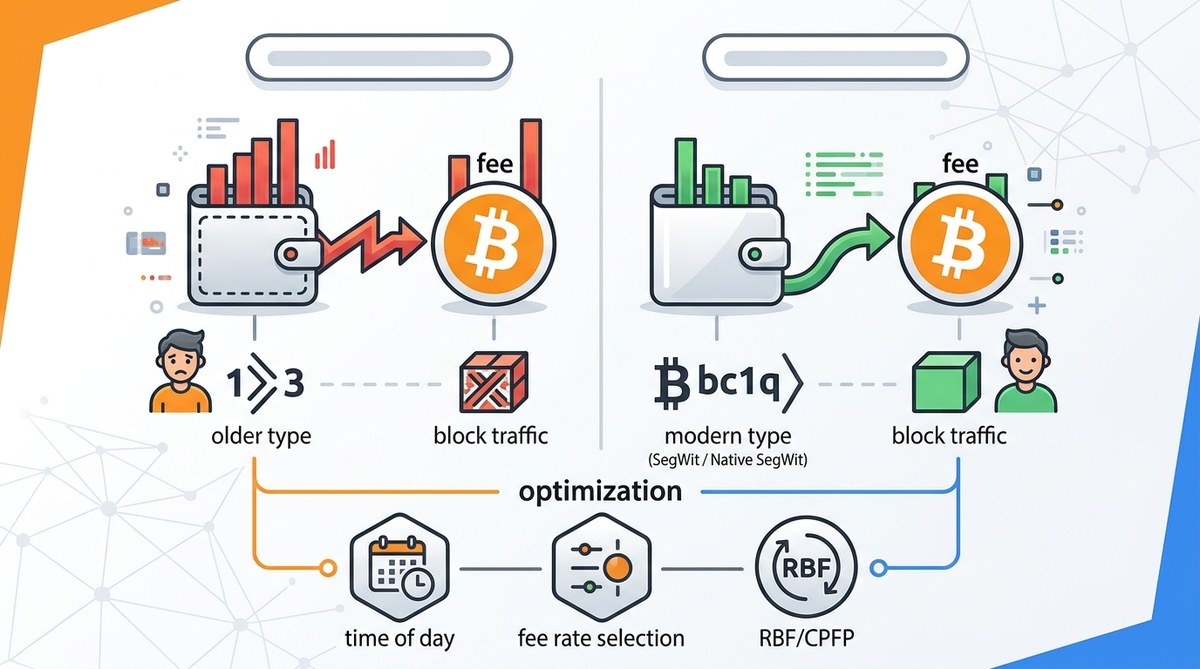
- Use SegWit addresses. SegWit transactions are smaller, which means lower fees for the same priority.
- Batch your payments. Sending multiple outputs in one transaction is cheaper than sending them separately.
- Avoid sending during peak hours. Weekday afternoons in the US often see higher congestion.
If you want to understand more about how fees work, read our guide on maximize your bitcoin transactions by understanding fee structures. It covers the basics of fee calculation and how to estimate costs.
For a broader look at network conditions, check out understanding bitcoin network congestion and how to avoid high fees. Knowing when the network is busy helps you time your sends.
Your CPFP Checklist for 2026
Before you try CPFP, run through this list.
- Confirm the transaction is truly stuck (no confirmations after several hours).
- Verify you have an unconfirmed output you control.
- Check that your wallet supports spending unconfirmed coins.
- Look up the current mempool fee rate.
- Set the child transaction fee to at least 1.5 times the current rate.
- Broadcast the child and wait for the next block.
Final Thoughts on Freeing Your Stuck Bitcoin
CPFP is a powerful tool that does not require you to pay extra fees on your original transaction. It uses the natural incentive structure of Bitcoin mining to get your payment confirmed. The process is straightforward once you understand the dependency between parent and child.
Keep in mind that CPFP is not a replacement for good fee management. It is a rescue method for when things go wrong. Use it when you have no other option, and use it correctly. Set the child fee high enough to be competitive, and you will see your transaction confirmed within a few blocks.
If you run into trouble, do not panic. The Bitcoin network does not lose transactions. It only delays them. With CPFP, you can speed things up without spending extra money. Give it a try the next time you see that dreaded “0 confirmations” message.










Leave a Reply