

You just sent a Bitcoin payment and watched the mempool explode with high fee bids. It’s frustrating. You want your transaction confirmed fast, but paying a premium feels wasteful. The good news? You can lower bitcoin transaction fees without waiting longer for confirmations. It’s not magic. It’s strategy. And in 2026, the tools and techniques are better than ever.
Reducing Bitcoin fees doesn’t have to mean slow confirmations. By timing transactions during low traffic, using SegWit addresses, enabling replace‑by‑fee (RBF) with a low initial fee, batching payments, and switching to the Lightning Network for small amounts, you can slice fees by 50‑80% while still getting confirmed in under an hour. The trick is knowing when and how to adjust your approach.
Why Bitcoin Fees Can Be So High
Bitcoin’s fee market is a bidding war. When the network gets congested, miners prioritize transactions with higher fees per byte. If you use the default fee suggested by your wallet, you might overpay for speed you don’t even need. Many wallets set a high “standard” fee to guarantee a quick confirmation, but you can often pay less and still get into the next block. The key is to understand two factors: network traffic and transaction size. Larger transactions (with many inputs) cost more. High traffic pushes the floor up. By controlling both, you save money.
Five Proven Tactics to Lower Fees Without Waiting Longer
Here are the most effective methods, ranked by how much they save. Each tactic can be used alone or combined.
-
Use a SegWit address. Segregated Witness reduces the size of your transaction data. A typical SegWit transaction is about 25–30% lighter than a legacy one. That means lower fees because you’re paying per byte. Most modern wallets support SegWit automatically. If you’re still on an old address, switch today. The savings add up fast.
-
Time your transactions during low mempool hours. The mempool is the waiting room for unconfirmed transactions. It gets packed during U.S. business days and empties on weekends or late at night (UTC). Check a mempool tracker like Mempool.space. When the number of unconfirmed transactions drops, miners have fewer bids and fees fall. Sending on a Sunday afternoon can cut fees by 40% compared to a Tuesday morning.
-
Enable replace‑by‑fee (RBF) with a low initial fee. RBF lets you bump the fee after broadcasting if your transaction stalls. Start with a conservative fee — say, half of what the wallet suggests. If the transaction sits too long, you can increase it. This way you never overpay for speed you didn’t need. Most wallets (Electrum, BlueWallet, Bitcoin Core) support RBF. Just turn it on in settings.
-
Batch multiple payments into one transaction. If you’re regularly sending to several people (business payouts, tips, splitting bills), combine them. A single transaction with multiple outputs costs about the same as a one‑output transaction. Instead of paying five separate fees, you pay one. Savings can exceed 80% if you batch often. Some wallets offer batch sending; otherwise, use a tool like Sparrow Wallet.
-
Use the Lightning Network for small payments. For amounts under $100, Lightning is the way. Fees are typically a fraction of a cent, and confirmations are near‑instant. You can open a channel, send countless payments, and close it later. The initial channel open still costs an on‑chain fee, so it’s best for frequent small transactions. Many wallets like Phoenix or Breez make Lightning dead simple.
Expert advice: “The biggest mistake people make is using the wallet’s default ‘fast’ fee setting. Most of the time, the medium or low setting gets confirmed within two blocks anyway. Check the mempool first, then pick the lowest fee that still estimates a confirmation time you’re comfortable with.” — Jameson Lopp, CTO of Casa (paraphrased)
Common Mistakes That Cost You More
Avoid these pitfalls to keep your fees low:
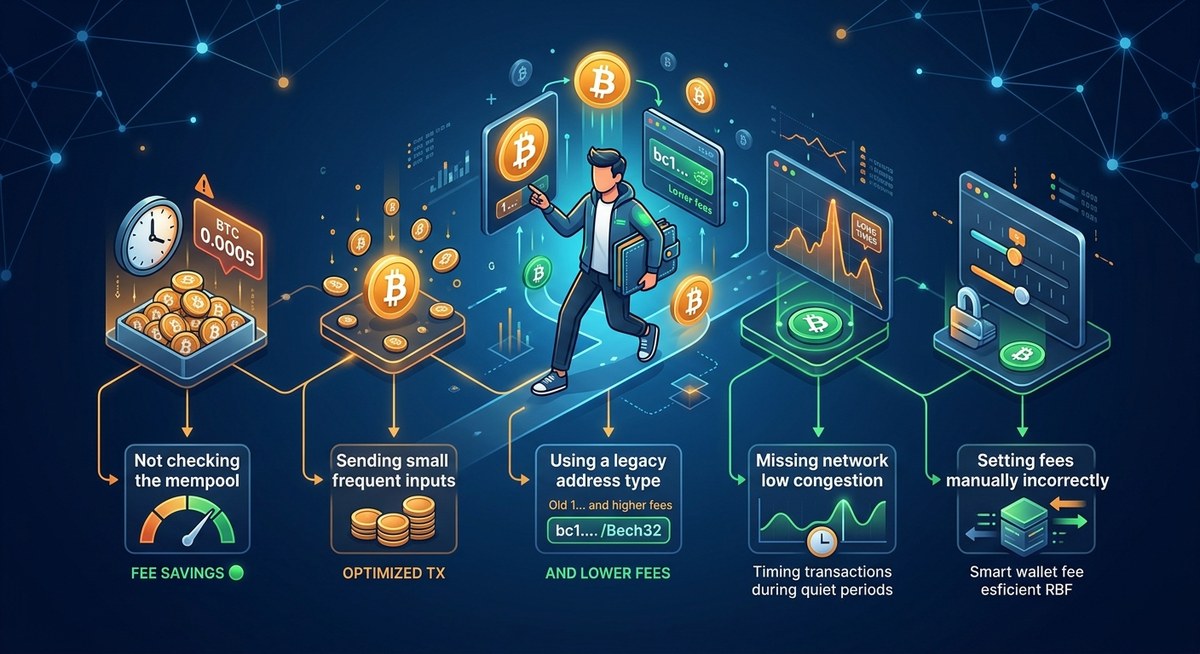
- Paying the default “high priority” fee when the network is quiet. You throw away money.
- Using legacy addresses (starting with “1”) when you could use SegWit (starting with “bc1”).
- Sending many small individual transactions instead of batching.
- Ignoring mempool congestion and sending during a price spike.
Compare Techniques: Speed vs. Savings
Use this table to see which tactic fits your need best:
| Technique | Typical Fee Reduction | Confirmation Speed Impact | Best For |
|---|---|---|---|
| SegWit address | 25–30% lower | Minimal (same block inclusion) | All transactions |
| Timing (low mempool) | 30–50% lower | Can be slightly slower if mempool spikes | Flexible senders |
| RBF with low initial fee | 20–50% lower | You control the acceleration | Any transaction where you can wait a bit |
| Batching payments | 50–80% lower | No change per transaction (single batch) | Multiple outgoing payments |
| Lightning Network | >99% lower | Instant | Small, frequent payments |
How to Use Tools and Wallets to Your Advantage
The right wallet makes fee control easy. Look for these features:
- Custom fee selection (sat/vB or sat/byte).
- Built‑in mempool fee estimator with options like “economy” or “low”.
- RBF support.
- SegWit native (bech32 addresses).
Popular wallets that offer full fee customization include Electrum, BlueWallet, Sparrow Wallet, and Bitcoin Core. If you use a mobile wallet, try Mycelium or Edge. For Lightning, Phoenix is our top pick for beginners.
You can also track fees with third‑party sites like Mempool.space or BitcoinFees.cash. These show the current recommended fee rates and mempool congestion in real time. Bookmark them before your next transaction.
Know When to Pay More (And When to Wait)
Sometimes the network is jammed and low fees won’t get confirmed for hours. In those cases, the best strategy is to wait. Check the mempool again in six hours — congestion often clears. But if you must send immediately (say, a time‑sensitive business deal), you might have to pay the market rate. Even then, following the tips above — like using SegWit and RBF — keeps the cost lower than it would be otherwise.
Putting It All Together for Consistent Savings
Lowering your Bitcoin fees without waiting longer is about being intentional. Set up your wallet for SegWit. Turn on RBF. Check the mempool before every send. Batch when you can. And for small everyday transactions, use Lightning. Once these habits become automatic, you’ll save money every time. Start with one tactic this week, then add another. Before long, you’ll wonder why you ever paid the default fee.
If you want to go deeper, check out our guides on understanding fee structures and how to reduce Bitcoin transaction fees without compromising speed in 2026. The tools are here. The savings are real. Go get them.










Leave a Reply