

You set a fee higher than the last time you sent Bitcoin. You clicked confirm, expecting the transaction to land in minutes. Instead, it sat in limbo for hours, while a friend who paid less saw their coins zip through. It is frustrating. And it makes you wonder: Is there a hidden mechanic behind Bitcoin transaction fees confirmation speed that most people miss? The answer is yes. The relationship between fee and speed is not linear. It is shaped by the mempool, block space, miner behavior, and even the structure of your transaction itself.
Paying a higher Bitcoin fee does not automatically guarantee faster confirmation because miners prioritize fee rate (satoshis per virtual byte) over total fee. Network congestion, transaction size, and your wallet’s fee estimation software also play major roles. To get reliable speed, you need to monitor the mempool, use appropriate fee rates, and consider techniques like Replace-by-Fee (RBF) or Child Pays for Parent (CPFP).
Understanding the Mempool: Where Transactions Wait
Every Bitcoin transaction starts its life in a waiting area called the mempool. Think of it as a digital lobby where unconfirmed transactions queue up for the next block. Miners pick a set of transactions from this pool and pack them into a block. They have a limited amount of space. Each block can hold roughly 1 to 1.5 million virtual bytes (vB).
Miners are profit-driven. They want the highest total fee they can earn from a block, given the space constraint. So they select transactions that offer the highest fee per virtual byte (sat/vB). This is the fee rate, not the absolute fee. A transaction that pays 300 satoshis in total but is 600 vB in size has a fee rate of 0.5 sat/vB. Another transaction that pays 200 satoshis but is only 100 vB has a fee rate of 2 sat/vB. The second one will be picked first.
That is the core reason a higher total fee does not guarantee faster confirmation. Your wallet’s default fee slider often shows the total fee. It is easy to think “more money = faster”, but that assumption fails when your transaction is bloated by many inputs or is non-SegWit.
Why a Higher Fee Can Still Leave You Waiting
Several factors can make your high-fee transaction stall.
- Mempool congestion spikes. When a wave of new transactions hits the network (e.g., during a market event or NFT drop), fee rates across the board shoot up. Your fee that looked generous an hour ago now ranks near the bottom.
- Your wallet’s fee estimator is outdated. Many wallets use a fixed algorithm that updates slowly. In 2026, with more sophisticated mempool analysis tools available, using a wallet that relies on stale data is a recipe for stuck transactions.
- Your transaction is large. A transaction that spends many small UTXOs can be hundreds of vB. Even a decent fee rate may not be enough if the block is full of smaller, higher-rate transactions.
- Miners have different policies. Some miners may prioritize transactions from certain addresses or that pay a slightly higher total fee at the same fee rate. This variance adds randomness.
Here is a practical list of steps to avoid this confusion:
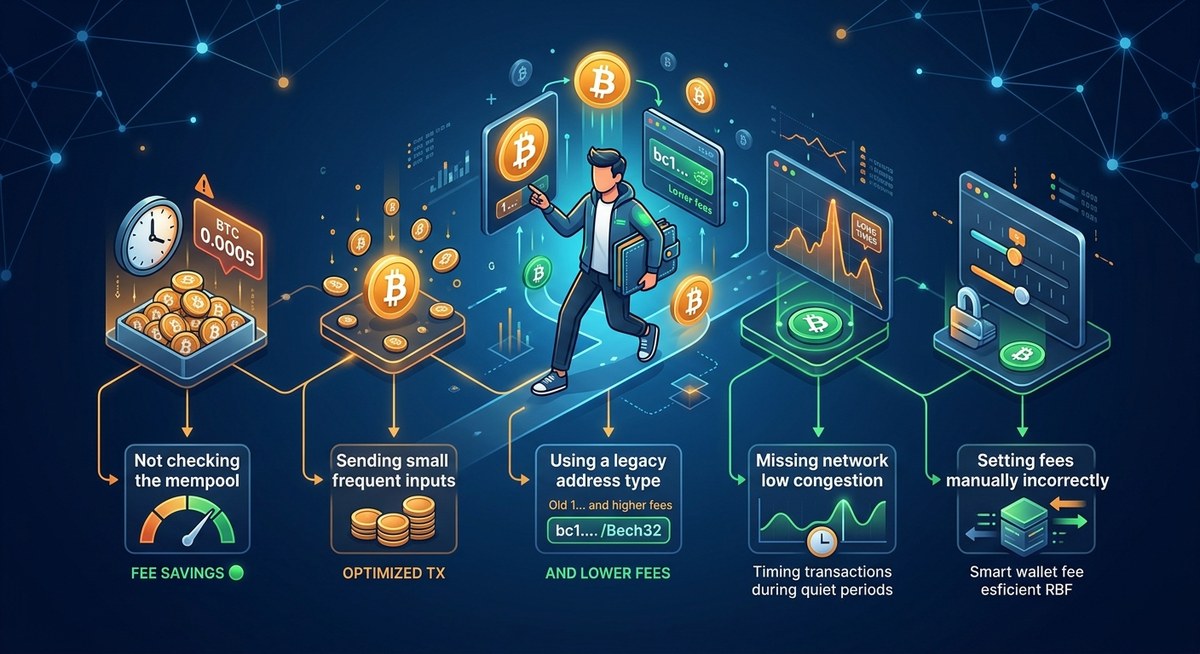
- Before sending, check the current recommended fee rate on a site like bitcoinfees.cash or by looking at the mempool.
- Set a fee rate (sat/vB) rather than a total fee, unless your wallet hides this option. If it hides it, consider switching to a more advanced wallet.
- If the mempool is calm, a moderate fee rate like 1-2 sat/vB may confirm in the next block. Paying 50 sat/vB is wasteful.
- If the mempool is jammed, consider waiting or using a technique like Replace-by-Fee (RBF) to bump your fee later.
Common Mistakes vs. Best Practices
To make it easier, here is a table of what not to do and what to do instead.
| Common Mistake | Best Practice |
|---|---|
| Paying a large total fee without considering transaction size | Always calculate fee rate: total fee in satoshis divided by transaction size in vB. Use a SegWit address to reduce size. |
| Using the default fee suggested by a wallet that does not show mempool data | Pick a wallet that integrates real-time fee estimation (e.g., Electrum, Sparrow) or check a third-party fee estimator. |
| Ignoring the mempool before sending | Check the number of unconfirmed transactions and the fee distribution. A full mempool means you need a higher fee rate. |
| Sending during a known high-demand period (e.g., Saturday evening US time) | Schedule sends for low-activity hours, typically early mornings UTC or weekends when fewer people are trading. |
| Assuming one high fee will always beat lower fees | Understand that miners rank by fee rate first. A high total fee on a huge transaction may still lose to many small, high-rate transactions. |
How to Check the Mempool Like a Pro
You do not need to run a full node to see what is happening. These free tools give you a clear picture:
- Mempool.space – Shows a live graph of fee rates and how many transactions are waiting at each level.
- Bitcoinfees.cash – Provides recommended fee rates for different confirmation speeds, updated every few minutes.
- Jochen Hoenicke’s mempool monitor – Displays the mempool size in MB and the number of unconfirmed transactions.
A quick look at these before you send can save you money and time. For example, if you see that the top of the mempool (the highest fee rate band) only contains a few hundred transactions, a fee rate of 10 sat/vB might get you into the next block. But if the entire window is packed with transactions above 30 sat/vB, you need to match or exceed that rate.
The Hidden Impact of Transaction Size
Your transaction size is determined by the number of inputs (previous transactions you are spending), outputs (recipient and change), and whether you use SegWit. Each input adds roughly 68-148 vB, depending on whether it is a legacy or SegWit input. Each output adds about 31-34 vB.
If you are consolidating many small UTXOs into one payment, your transaction can easily exceed 1,000 vB. Even with a fee rate of 5 sat/vB, that is 5,000 satoshis (about $1.50 at current prices). A smaller transaction with a fee rate of 10 sat/vB might only cost 2,000 satoshis and confirm faster because it occupies less block space. That is why you sometimes see a high total fee transaction stuck: it is too big relative to its fee rate.
SegWit addresses (starting with bc1) reduce the weight of your inputs by about 25%. If you are still using legacy addresses (starting with 1), you are paying more per byte than necessary. Upgrading to a SegWit wallet can lower your fee needs by the same percentage.
Expert advice: “If your transaction is stuck, do not panic and send a second one with a higher fee. That will often get dropped too. Instead, use Child Pays for Parent (CPFP) or Replace-by-Fee (RBF) to bump the original transaction. Always enable RBF in your wallet settings before you send.” — Real-world tip from a Bitcoin core contributor.
Advanced Techniques for Reliable Speed
When the mempool is volatile, you have two reliable ways to boost your confirmation chances without overpaying from the start.
1. Replace-by-Fee (RBF)
Send the initial transaction with a low fee rate, enabling RBF. If it does not confirm after a few blocks, replace it with a new transaction that has a higher fee rate. You only pay the bump if needed. Most modern wallets (Electrum, Bitcoin Core, BlueWallet) support this.
2. Child Pays for Parent (CPFP)
If you sent a low-fee transaction from a wallet that does not support RBF (or you forgot to enable it), you can spend the unconfirmed change output to a new address with a high fee rate. Miners will see that the parent transaction (your original) is needed to confirm the child. They will prioritize the pair, effectively raising the fee for both. This works, but it costs two transaction fees.
A Practical Numbered Process for Setting Fees
Follow these steps each time you send Bitcoin to maximize confirmation speed without wasting money.
- Check the mempool. Open mempool.space and note the fee rate (sat/vB) that gets you into the “next block” or “within 2 blocks”.
- Calculate your transaction size. If your wallet shows the transaction size (in vB), use it. If not, estimate based on inputs: for SegWit, each input ~68 vB; for legacy, ~148 vB. Each output ~31 vB.
- Set the fee rate in your wallet. Input the rate you noted from step 1. For extra safety, add 20% if the mempool is growing.
- Enable RBF. Before hitting send, make sure RBF is turned on. This gives you an escape hatch.
- Monitor your transaction. After sending, watch the mempool page for your transaction ID. If it remains in the queue for more than 30 minutes, use RBF to bump the fee rate by 50-100%.
When Speed Is More Important Than Cost
There are times when you absolutely need the next block. Maybe you are buying something with a time limit, or moving funds before a volatility event. In those moments, pay the fee rate that puts you in the top 10% of the mempool. Check the fee distribution on the mempool site. If the highest rate band has very few transactions, you may only need 20 sat/vB. But if it is crowded, you might need 50 sat/vB or more.
Remember, paying a high fee does not guarantee top priority if your transaction is large. A small, high-rate transaction will always beat a large, medium-rate one. So if you have many UTXOs, consider consolidating them when fees are low, not when you need speed.
Final Thoughts on Bitcoin Transaction Fees Confirmation Speed
The idea that “you get what you pay for” is only partly true in Bitcoin. Your fee rate, transaction size, and mempool conditions together determine your place in line. Paying more total satoshis does not move you ahead if your fee rate is low. By understanding these mechanics, you can stop throwing money at the problem and start using strategy.
If you want to dig deeper into optimizing your fees, check out our guide on how to optimize your Bitcoin transaction fees for faster confirmations. It covers wallet settings, UTXO management, and timing techniques that work in 2026. For a broader view of what drives fee changes, 5 key factors that determine your Bitcoin transaction fees right now will give you the full picture.
Next time you send Bitcoin, take 30 seconds to check the mempool and set a fee rate instead of a flat amount. Your wallet and your patience will thank you.










Leave a Reply